Grammar check download safely from Releases
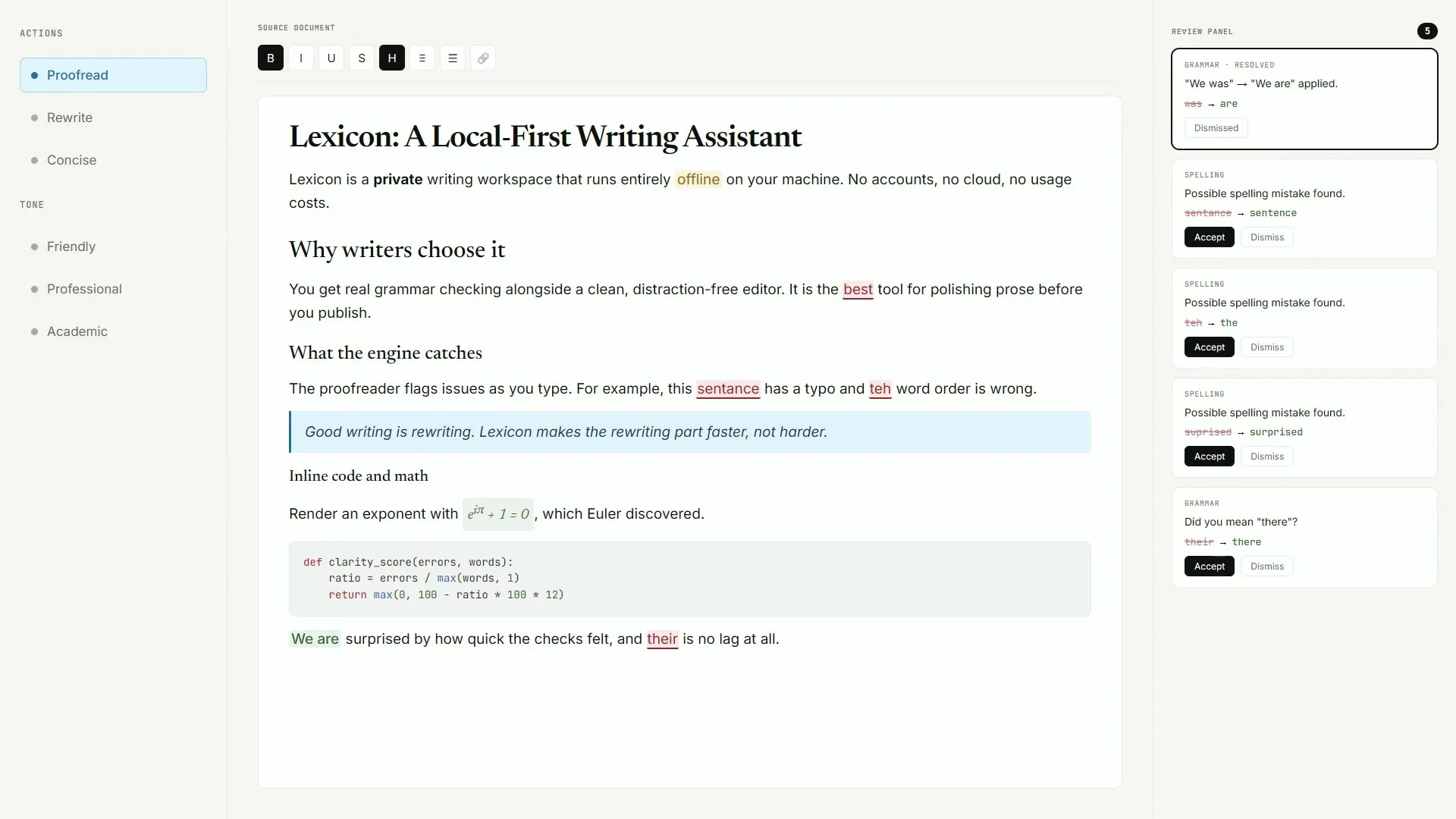
A safe grammar check download starts with a URL you typed yourself: github.com/AashishH15/Lexicon/releases. Prefer Lexicon_*_x64-setup.exe on Windows, the matching macOS dmg, or Lexicon_*_amd64.deb on Linux. Skip survey pages that rewrite the filename for a ranking.
Confirm before you run
- Host is github.com
- Repo is AashishH15/Lexicon
- Asset name matches Lexicon_* patterns
- Tag matches the release you meant to open
SmartScreen on Windows
Upstream documents that Windows builds are not Authenticode-signed yet. SmartScreen may show Windows protected your PC. Click More info, then Run anyway only after the Releases URL checks out. Antivirus products may quarantine new unsigned indie installers; restore only when the source is still GitHub Releases.
Gatekeeper on macOS
macOS builds are currently unsigned pre-release. Control-click Lexicon.app, choose Open, then Open again, or use Privacy and Security Open Anyway. Clearing quarantine with xattr -cr /Applications/Lexicon.app is documented upstream for stubborn cases.
What to refuse
Refuse mirrored “grammar check free download” pages that bundle toolbars. Refuse renamed setups that drop Lexicon from the filename. Refuse invented winget or brew commands that were not found for this writing app on the research date.
Safe path: Releases URL → named asset → OS prompt you understand → one local proofread. That is the whole grammar check download story.
Next: Windows install, for this computer, is it safe.
Keep the door boring
- Prefer AashishH15/Lexicon Releases for every grammar check bump
- Write the asset name beside the OS version on the ticket
- Prove one local proofread after reimage or travel setup
Soft parks stay parked
No winget package id and no Homebrew cask for this Lexicon writing app were found on the research date. Prefer named Releases assets instead of inventing package manager doors for grammar check installs on shared desks.
Desk checklist
- Confirm the GitHub Releases URL for AashishH15/Lexicon
- Match Lexicon_* filenames to your operating system
- Handle SmartScreen or Gatekeeper prompts honestly
- Run one grammar check proofread before optional AI models
Shared machine notes
Family PCs, club laptops, and classroom images all need the same boring grammar check note: which file, which tag, and who proved the first pass. Keep browser writing tools as a fallback until the local habit sticks for the whole room.
Checkpoint: one grammar check proofread works and Releases stays bookmarked.
Frequently asked questions
How do I download grammar check safely?
Open AashishH15/Lexicon Releases on github.com, take Lexicon_*_x64-setup.exe or the matching dmg or deb, and refuse portals that rename the file for ads. Prefer AashishH15/Lexicon GitHub Releases for Lexicon_*_x64-setup.exe on Windows or the matching macOS dmg and Linux deb, then prove one local grammar check proofread before you change team habits or download optional AI models.
What if SmartScreen blocks my grammar check setup?
Confirm the download URL is still GitHub Releases, then use More info and Run anyway when you trust that unsigned indie build. Upstream documents this SmartScreen path. Keep that grammar check habit boring with one bookmarked Releases URL and one proven local proofread written on the machine ticket.
Can antivirus flag a real grammar check installer?
Yes. New unsigned installers often trip heuristics. Restore from quarantine only after you re-check the Releases asset name and URL. Prefer AashishH15/Lexicon GitHub Releases for Lexicon_*_x64-setup.exe on Windows or the matching macOS dmg and Linux deb, then prove one local grammar check proofread before you change team habits or download optional AI models.
Is brew or winget safer for grammar check?
No package id was found for this Lexicon writing app on the research date. Inventing one is less safe than the named Releases asset. Keep that grammar check habit boring with one bookmarked Releases URL and one proven local proofread written on the machine ticket.
Where should teammates get grammar check?
Share the GitHub Releases URL and the exact filename. Do not forward random portal links that only rank for the head term. Prefer AashishH15/Lexicon GitHub Releases for Lexicon_*_x64-setup.exe on Windows or the matching macOS dmg and Linux deb, then prove one local grammar check proofread before you change team habits or download optional AI models.
Return to the grammar check home when you need the Install panel again.