Deb-only door on the reviewed tag
This grammar check guide treats Lexicon_*_amd64.deb as the Linux primary because that is what shipped on v0.10.3. Download from GitHub Releases, then run sudo dpkg -i Lexicon_*_amd64.deb.
Distro expectations
Debian, Ubuntu, Linux Mint, and Pop!_OS are the natural homes for a .deb. If your distro is rpm-first, do not invent a package; re-check Releases for newer assets or build from source only if you accept that path.
Verify after install
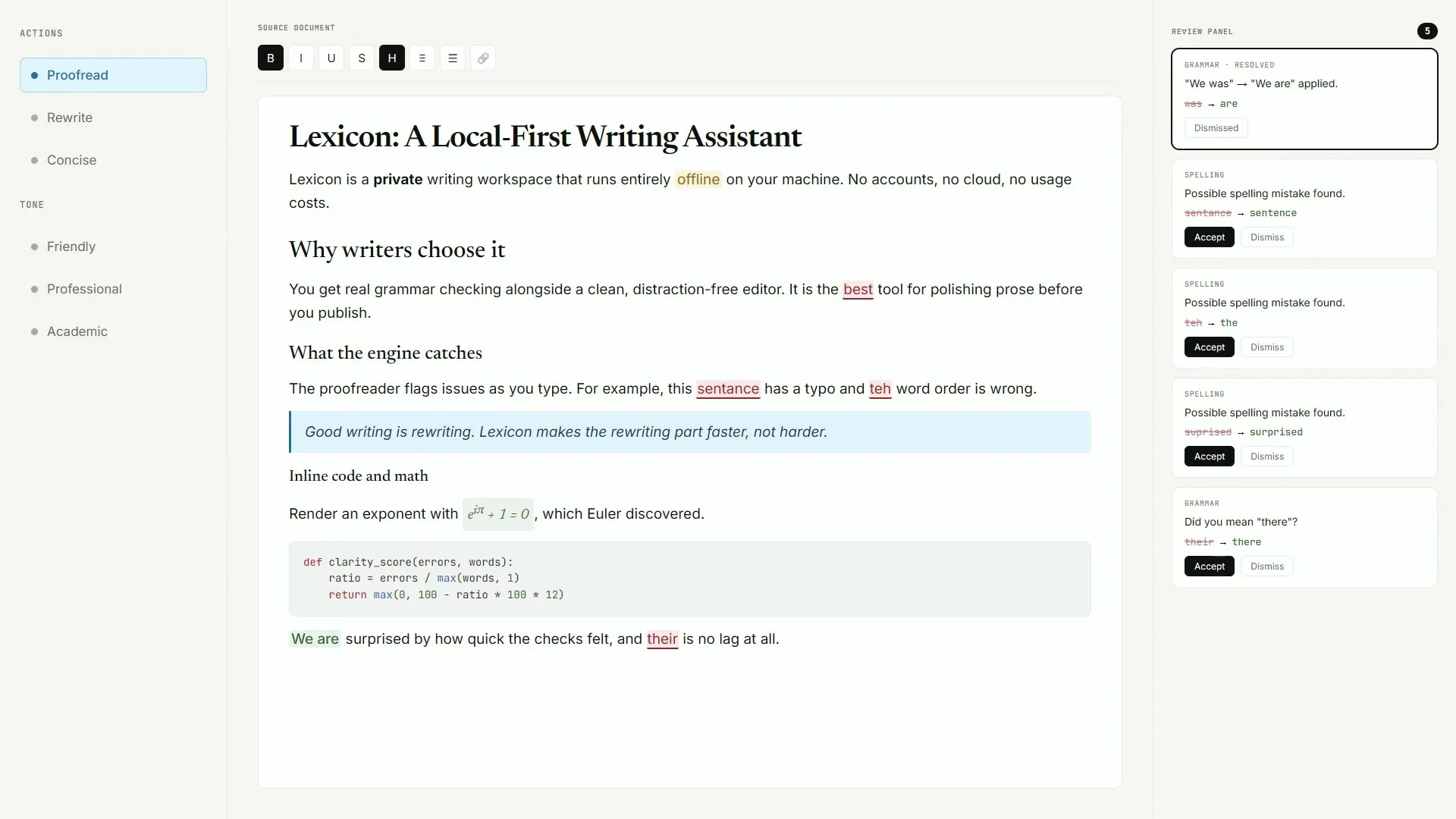
Open Lexicon, paste sample text, run proofread once, and write the deb filename on the ticket. Soft parks stay parked for snap and Flatpak on this research date.
Keep the door boring
- Prefer AashishH15/Lexicon Releases for every release bump
- Write the asset name beside the OS version on the ticket
- Prove one local proofread after reimage or travel setup
Soft parks stay parked
No winget package id and no Homebrew cask for this Lexicon writing app were found on the research date. Prefer named Releases assets instead of inventing package manager doors for desktop installs.
Desk checklist
- Confirm the GitHub Releases URL
- Match Lexicon_* filenames to your OS
- Handle SmartScreen or Gatekeeper honestly
- Run one grammar check proofread before optional models
Shared machine notes
Family PCs, club laptops, and classroom images all need the same boring install note: which file, which tag, and who proved the first pass. Keep browser writing tools as a fallback until the local habit sticks.
After the first pass
Export Markdown or PDF only when a suggestion card looks right. Optional Light or Standard models wait until proofreading already works for everyday writing drafts.
Lab imaging note
After a classroom reimage, reinstall from the current AashishH15/Lexicon tag, launch Lexicon once, and confirm suggestion cards appear on a short sample paragraph before you call the machine ready.
Travel laptop note
Carry the Releases URL in your notes app. Prefer the same Lexicon_* filename you already verified, and refuse portal mirrors that only rename the setup for search rankings.
Verify before you teach it
Write the Releases URL and the exact Lexicon_* filename on the machine ticket beside the OS version.
After every classroom reimage, launch Lexicon once and confirm suggestion cards appear on a short sample paragraph.
- Confirm github.com/AashishH15/Lexicon/releases
- Match the asset to Windows, macOS, or Linux
- Prove one local proofread before optional models
What to refuse
Refuse survey portals that rename the setup only to rank for writing searches.
Refuse invented winget or brew ids that were not found for this Lexicon writing app on the research date.
- No dns-lexicon formula
- No lexicon-dj cask
- No AppImage on the v0.10.3 tag verified here
After the first success
Export Markdown or PDF only when a suggestion card looks right.
Keep browser writing tools as a fallback on locked profiles until the local habit sticks for the whole room.
Travel and lab rhythm
Travel laptops benefit from a single documented installer door. Lab images drift when someone grabs a second mirror during a blocked SmartScreen prompt.
Prefer returning to the same Releases URL instead of inventing a new download mid-flight.
Shared desk note
Family PCs and club machines should pin one Lexicon shortcut and leave a browser writing tool available until the local habit covers everyday drafts.
Write who verified the first proofread on the ticket so the next person is not guessing.
Classroom imaging checklist
Reinstall from the current AashishH15/Lexicon tag, launch Lexicon, paste three sentences, and confirm a suggestion card before you call the image ready for shared desks.
Loaner notebook note
Carry the Releases URL in your notes app. Prefer the same Lexicon_* filename you already verified, and refuse portal mirrors that only rename the setup for search rankings.
Frequently asked questions
Is the grammar check deb the same as Snap?
No Snap package was verified here. The named path is Lexicon_*_amd64.deb from GitHub Releases for Debian-family desktops. Prefer AashishH15/Lexicon GitHub Releases for Lexicon_*_x64-setup.exe on Windows or the matching macOS dmg and Linux deb, then prove one local grammar check proofread before you change team habits or download optional AI models.
Can Fedora use this grammar check deb?
The reviewed asset is a. Prefer AashishH15/Lexicon Releases for Lexicon_*_x64-setup.exe on Windows, or the matching macOS dmg and Linux deb, then prove one local proofread before you change team habits or download optional AI models.
What if dpkg reports dependency errors?
Use your distro apt fix tools after reviewing the error, then relaunch Lexicon and prove one grammar check pass. Prefer AashishH15/Lexicon Releases for Lexicon_*_x64-setup.exe on Windows, or the matching macOS dmg and Linux deb, then prove one local proofread before you change team habits or download optional AI models.
Where is the grammar check deb published?
Only on AashishH15/Lexicon GitHub Releases for the current tag verified in research. Prefer AashishH15/Lexicon GitHub Releases for Lexicon_*_x64-setup.exe on Windows or the matching macOS dmg and Linux deb, then prove one local grammar check proofread before you change team habits or download optional AI models.