Grammar check releases and Lexicon assets
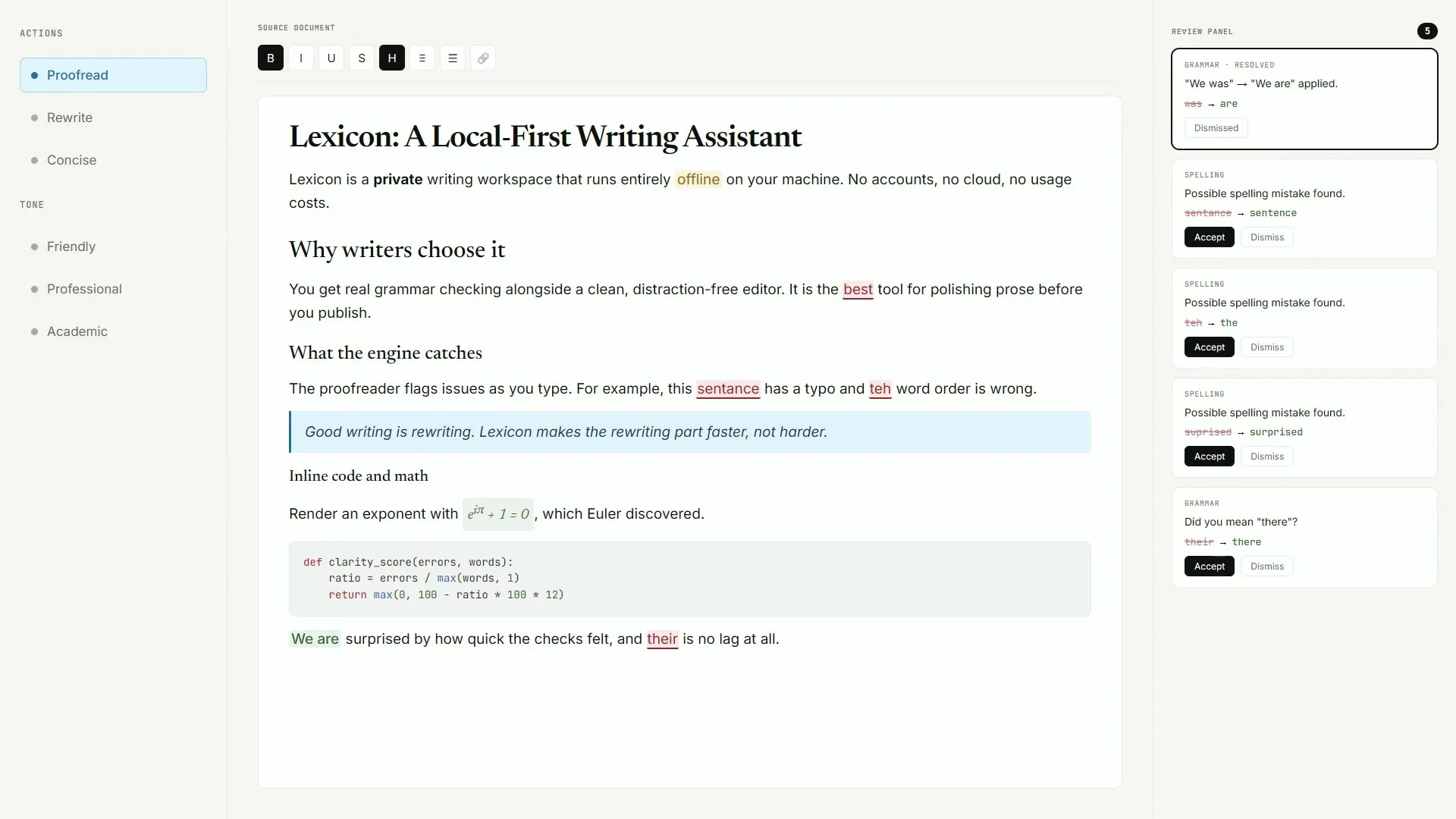
The honest grammar check release door for this guide is the current v* tag on AashishH15/Lexicon. That tag ships Lexicon_*_x64-setup.exe as the Windows primary, arm64 and x86 setups as optional Windows alts, macOS Lexicon_*_aarch64.dmg and Lexicon_*_x64.dmg, and Lexicon_*_amd64.deb for Linux. Prefer the x64 setup when your job is a desk grammar check on Windows 10 or newer, 64-bit.
People searching for grammar check often land on portals that wrap an unrelated setup. Keep the download on GitHub Releases so the installed Lexicon window matches the MIT source tree you can read. Live tags and file sizes come from the project release list, not from a mirror that rewrites the filename.
Keep the Releases door obvious
- Prefer
Lexicon_*_x64-setup.exeon the current v* tag for Windows - Match macOS dmg to Apple silicon or Intel
- Use
Lexicon_*_amd64.debon Debian-family Linux - Skip survey portals that rename the setup
- Prove one local grammar check pass after install
No winget package id and no Homebrew cask for this Lexicon writing app were found on the research date. Do not invent package manager commands. An AppImage is mentioned upstream for some tags, yet no AppImage was attached to the v0.10.3 assets verified for this guide.
Windows assets on the tag
Lexicon_*_x64-setup.exe is the default Windows path. Arm64 and x86 setups sit beside it when your hardware needs them. Builds are not Authenticode-signed, so SmartScreen may show Windows protected your PC. Choose More info, then Run anyway after you confirm the GitHub Releases URL.
macOS and Linux assets
Open Lexicon_*_aarch64.dmg on Apple silicon or Lexicon_*_x64.dmg on Intel. Gatekeeper may block unsigned pre-release builds; Control-click Open or use Privacy and Security Open Anyway. On Linux, sudo dpkg -i Lexicon_*_amd64.deb installs the reviewed deb. macOS app tarballs also ship on the tag for advanced users.
After you download
Run the setup once, launch Lexicon, paste a short draft, and prove one proofread. That first proof matters more than chasing screenshots on other sites for grammar check. Update means returning to the same filename pattern on a newer v* tag, or using Check for updates in Settings.
Checkpoint: keep Lexicon_*_x64-setup.exe on AashishH15/Lexicon Releases, run the setup, prove one grammar check pass, and write the update door on the ticket.
Also see: download safely, GitHub overview, Windows install, and the pillar at grammar check home. Proof Quill maintains this install map; upstream remains AashishH15/Lexicon under MIT.
Keep the door boring
- Prefer AashishH15/Lexicon Releases for every grammar check bump
- Write the asset name beside the OS version on the ticket
- Prove one local proofread after reimage or travel setup
Soft parks stay parked
No winget package id and no Homebrew cask for this Lexicon writing app were found on the research date. Prefer named Releases assets instead of inventing package manager doors for grammar check installs on shared desks.
Desk checklist
- Confirm the GitHub Releases URL for AashishH15/Lexicon
- Match Lexicon_* filenames to your operating system
- Handle SmartScreen or Gatekeeper prompts honestly
- Run one grammar check proofread before optional AI models
Shared machine notes
Family PCs, club laptops, and classroom images all need the same boring grammar check note: which file, which tag, and who proved the first pass. Keep browser writing tools as a fallback until the local habit sticks for the whole room.
Checkpoint: one grammar check proofread works and Releases stays bookmarked.
Frequently asked questions
Which grammar check file should I take on Windows?
Prefer Lexicon_*_x64-setup.exe from the current AashishH15/Lexicon release tag. Arm64 and x86 setups are optional alts on the same tag when your PC needs them. No winget id was found on the research date.
Where are grammar check macOS and Linux files?
macOS ships Lexicon_*_aarch64.dmg and Lexicon_*_x64.dmg. Linux ships Lexicon_*_amd64.deb on the reviewed tag. Prefer those exact names from GitHub Releases rather than third-party mirrors. Prefer AashishH15/Lexicon GitHub Releases for Lexicon_*_x64-setup.exe on Windows or the matching macOS dmg and Linux deb, then prove one local grammar check proofread before you change team habits or download optional AI models.
Is the grammar check release free?
Yes. Lexicon is MIT-licensed and the named Releases assets have no paywall for the desktop client. Optional model downloads are separate and only happen when you choose them. Keep that grammar check habit boring with one bookmarked Releases URL and one proven local proofread written on the machine ticket.
Why is SmartScreen warning on my grammar check setup?
Upstream notes that Windows builds are not Authenticode-signed yet. Confirm the URL is github.com/AashishH15/Lexicon/releases, then use More info and Run anyway when you trust that door. Prefer AashishH15/Lexicon GitHub Releases for Lexicon_*_x64-setup.exe on Windows or the matching macOS dmg and Linux deb, then prove one local grammar check proofread before you change team habits or download optional AI models.
Does every grammar check tag include an AppImage?
No. README mentions AppImage for some tags, but the v0.10.3 assets verified for this guide did not include one. Prefer the amd64 deb on Debian-family desktops. Prefer AashishH15/Lexicon GitHub Releases for Lexicon_*_x64-setup.exe on Windows or the matching macOS dmg and Linux deb, then prove one local grammar check proofread before you change team habits or download optional AI models.
Return to the grammar check home when you need the Install panel again.