Switch grammar check from browser tools to desktop
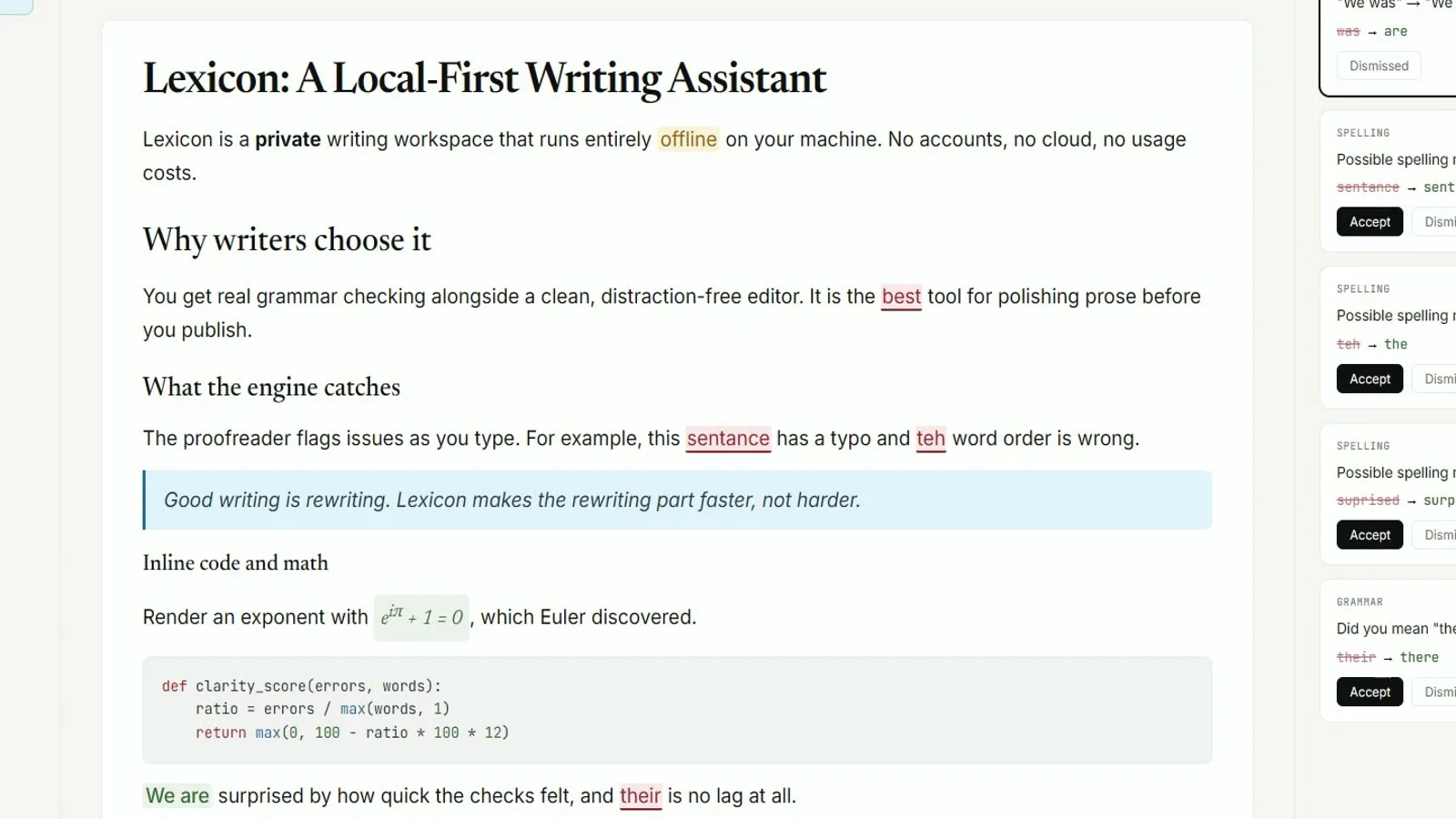
Switching from browser grammar tools into a desk grammar check means installing Lexicon once, proving a local proofread, then deciding which browser habits still earn a tab. Drafts do not magically import. You copy text into Lexicon or open a file you export from the browser tool.
Move without drama
- Install Lexicon from GitHub Releases for your OS
- Paste a draft you already trust from the browser tool
- Run one local proofread and apply or dismiss suggestions
- Export Markdown or PDF if you need a shareable copy
- Keep the browser extension only where it still helps mail or Docs
What does not transfer
Cloud suggestion history, team style guides locked in a SaaS seat, and browser-only underlines do not become Lexicon cards automatically. Treat the first week as a parallel run: desktop grammar check for long drafts, browser tools for in-page edits.
When to stay in the browser
Stay in the browser when install rights are blocked, when your school requires a specific cloud seat, or when you only need a thirty-second paste. Switch when you want MIT source, offline proofreading, and a Releases filename you can put on a ticket.
Success looks like one local proofread that matches your expectations, not a perfect migration of every past suggestion.
Compare options: vs browser grammar tools. Install doors: releases.
Keep the door boring
- Prefer AashishH15/Lexicon Releases for every grammar check bump
- Write the asset name beside the OS version on the ticket
- Prove one local proofread after reimage or travel setup
Soft parks stay parked
No winget package id and no Homebrew cask for this Lexicon writing app were found on the research date. Prefer named Releases assets instead of inventing package manager doors for grammar check installs on shared desks.
Desk checklist
- Confirm the GitHub Releases URL for AashishH15/Lexicon
- Match Lexicon_* filenames to your operating system
- Handle SmartScreen or Gatekeeper prompts honestly
- Run one grammar check proofread before optional AI models
Shared machine notes
Family PCs, club laptops, and classroom images all need the same boring grammar check note: which file, which tag, and who proved the first pass. Keep browser writing tools as a fallback until the local habit sticks for the whole room.
Checkpoint: one grammar check proofread works and Releases stays bookmarked.
Frequently asked questions
Can I import browser grammar check history into Lexicon?
No automatic import. Copy drafts or export files, then paste or open them in Lexicon for a local grammar check pass. Prefer AashishH15/Lexicon GitHub Releases for Lexicon_*_x64-setup.exe on Windows or the matching macOS dmg and Linux deb, then prove one local grammar check proofread before you change team habits or download optional AI models.
Should I uninstall browser grammar tools immediately?
No. Run Lexicon in parallel until one local proofread feels reliable, then retire browser seats you no longer need. Prefer AashishH15/Lexicon GitHub Releases for Lexicon_*_x64-setup.exe on Windows or the matching macOS dmg and Linux deb, then prove one local grammar check proofread before you change team habits or download optional AI models.
Will my Docs comments move into grammar check?
Suite comments stay in the suite. Lexicon is a separate desktop window for drafts you open there. Prefer AashishH15/Lexicon GitHub Releases for Lexicon_*_x64-setup.exe on Windows or the matching macOS dmg and Linux deb, then prove one local grammar check proofread before you change team habits or download optional AI models.
Is switching to desktop grammar check free?
Lexicon is MIT-licensed and Releases assets have no paywall. Browser seats you already pay for are separate. Prefer AashishH15/Lexicon GitHub Releases for Lexicon_*_x64-setup.exe on Windows or the matching macOS dmg and Linux deb, then prove one local grammar check proofread before you change team habits or download optional AI models.
What is the first proof after switching?
Install from Releases, paste a known paragraph, run proofread once, and confirm suggestion cards appear before you change team habits. Prefer AashishH15/Lexicon GitHub Releases for Lexicon_*_x64-setup.exe on Windows or the matching macOS dmg and Linux deb, then prove one local grammar check proofread before you change team habits or download optional AI models.
Return to the grammar check home when you need the Install panel again.