Grammar check vs browser grammar tools
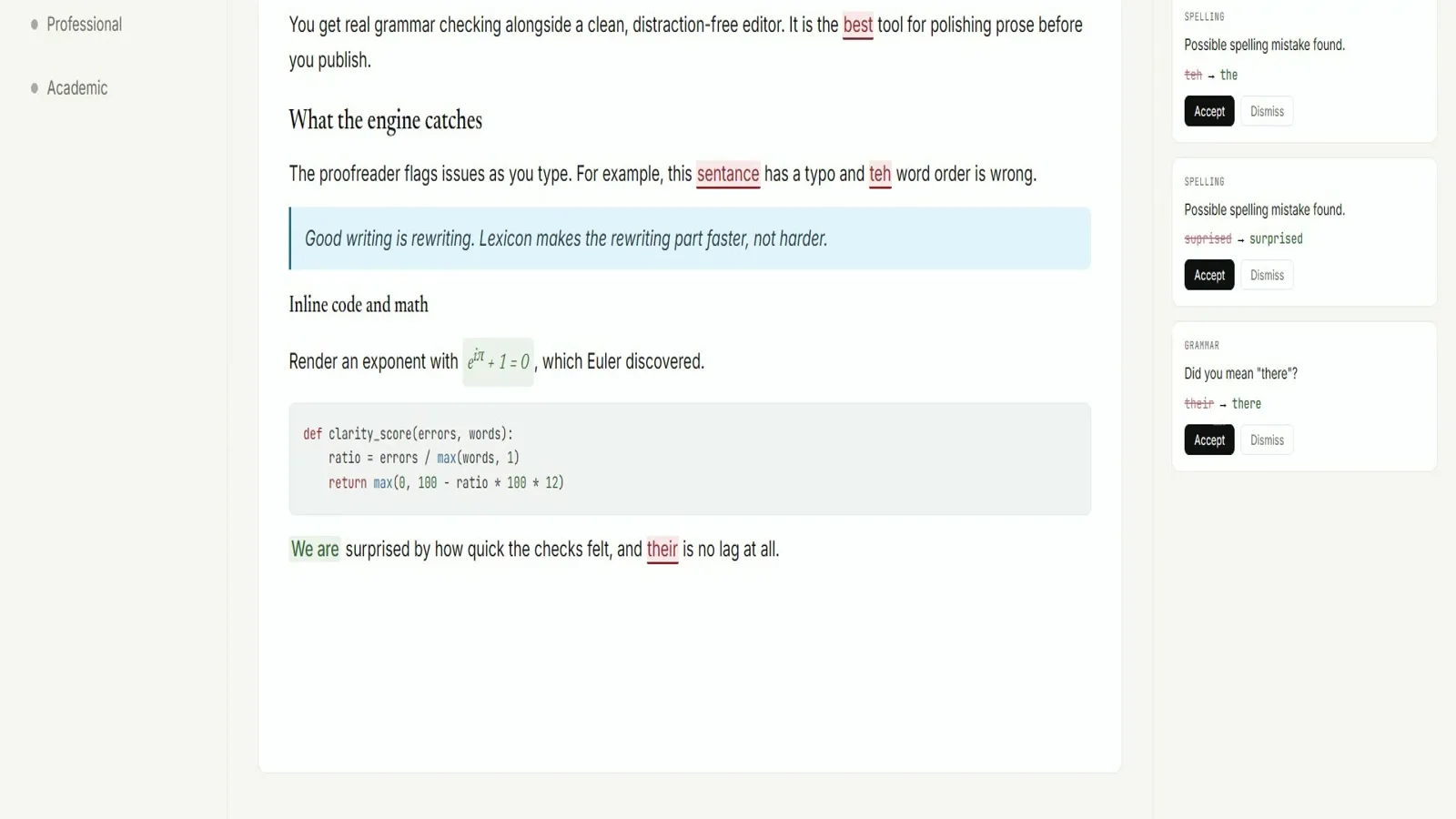
Browser grammar tools win at suggestions inside Gmail and Docs. A desk grammar check wins at an MIT desktop window, offline proofreading after install, and a GitHub Releases filename you can write on a ticket. This page compares those jobs without pretending one replaces every use of the other.
Side-by-side
| Question | Lexicon desktop | Browser tools |
|---|---|---|
| Price | Free MIT client | Free tier + paid seats common |
| Source | Public on GitHub | Usually closed |
| Offline | Yes after install | Often needs network |
| Signup | Not required | Often required for full features |
| Install door | Named Releases assets | Extension store or website |
Choose desktop grammar check when
- You want drafts on a machine you control
- You need offline proofreading after the first fetch
- You want MIT source and exact setup names
- You can install desktop software
Choose browser tools when
- You need underlines inside a web mailbox
- Install rights are missing
- Your organisation standardised on a cloud seat
- You only need a disposable paste
Many writers keep both: Lexicon for long local drafts, browser tools for in-page edits. Soft parks stay parked for invented package managers on the desktop path.
Switch guide: switch from browser tools. Safety: is it safe.
Keep the door boring
- Prefer AashishH15/Lexicon Releases for every grammar check bump
- Write the asset name beside the OS version on the ticket
- Prove one local proofread after reimage or travel setup
Soft parks stay parked
No winget package id and no Homebrew cask for this Lexicon writing app were found on the research date. Prefer named Releases assets instead of inventing package manager doors for grammar check installs on shared desks.
Desk checklist
- Confirm the GitHub Releases URL for AashishH15/Lexicon
- Match Lexicon_* filenames to your operating system
- Handle SmartScreen or Gatekeeper prompts honestly
- Run one grammar check proofread before optional AI models
Shared machine notes
Family PCs, club laptops, and classroom images all need the same boring grammar check note: which file, which tag, and who proved the first pass. Keep browser writing tools as a fallback until the local habit sticks for the whole room.
Checkpoint: one grammar check proofread works and Releases stays bookmarked.
Frequently asked questions
Is desktop grammar check better than browser tools?
It depends on the job. Desktop Lexicon wins for offline MIT installs. Browser tools win for in-page suggestions inside web apps. Prefer AashishH15/Lexicon GitHub Releases for Lexicon_*_x64-setup.exe on Windows or the matching macOS dmg and Linux deb, then prove one local grammar check proofread before you change team habits or download optional AI models.
Can I use both grammar check paths?
Yes. Many desks keep Lexicon for long drafts and a browser extension for mail until the local habit covers more work. Prefer AashishH15/Lexicon GitHub Releases for Lexicon_*_x64-setup.exe on Windows or the matching macOS dmg and Linux deb, then prove one local grammar check proofread before you change team habits or download optional AI models.
Does Lexicon replace every grammar check seat?
No. It replaces the need for a cloud writing account when you want a local window. It does not inject into every website. Prefer AashishH15/Lexicon GitHub Releases for Lexicon_*_x64-setup.exe on Windows or the matching macOS dmg and Linux deb, then prove one local grammar check proofread before you change team habits or download optional AI models.
Which path is free for grammar check?
Lexicon Releases assets are free under MIT. Browser tools often mix free tiers with paid seats. Prefer AashishH15/Lexicon GitHub Releases for Lexicon_*_x64-setup.exe on Windows or the matching macOS dmg and Linux deb, then prove one local grammar check proofread before you change team habits or download optional AI models.
Where do I install the desktop grammar check?
GitHub Releases for AashishH15/Lexicon using Lexicon_*_x64-setup.exe on Windows or the matching dmg or deb. Prefer AashishH15/Lexicon GitHub Releases for Lexicon_*_x64-setup.exe on Windows or the matching macOS dmg and Linux deb, then prove one local grammar check proofread before you change team habits or download optional AI models.
Return to the grammar check home when you need the Install panel again.